Capture WhatsApp Opt‑Ins Directly at Checkout

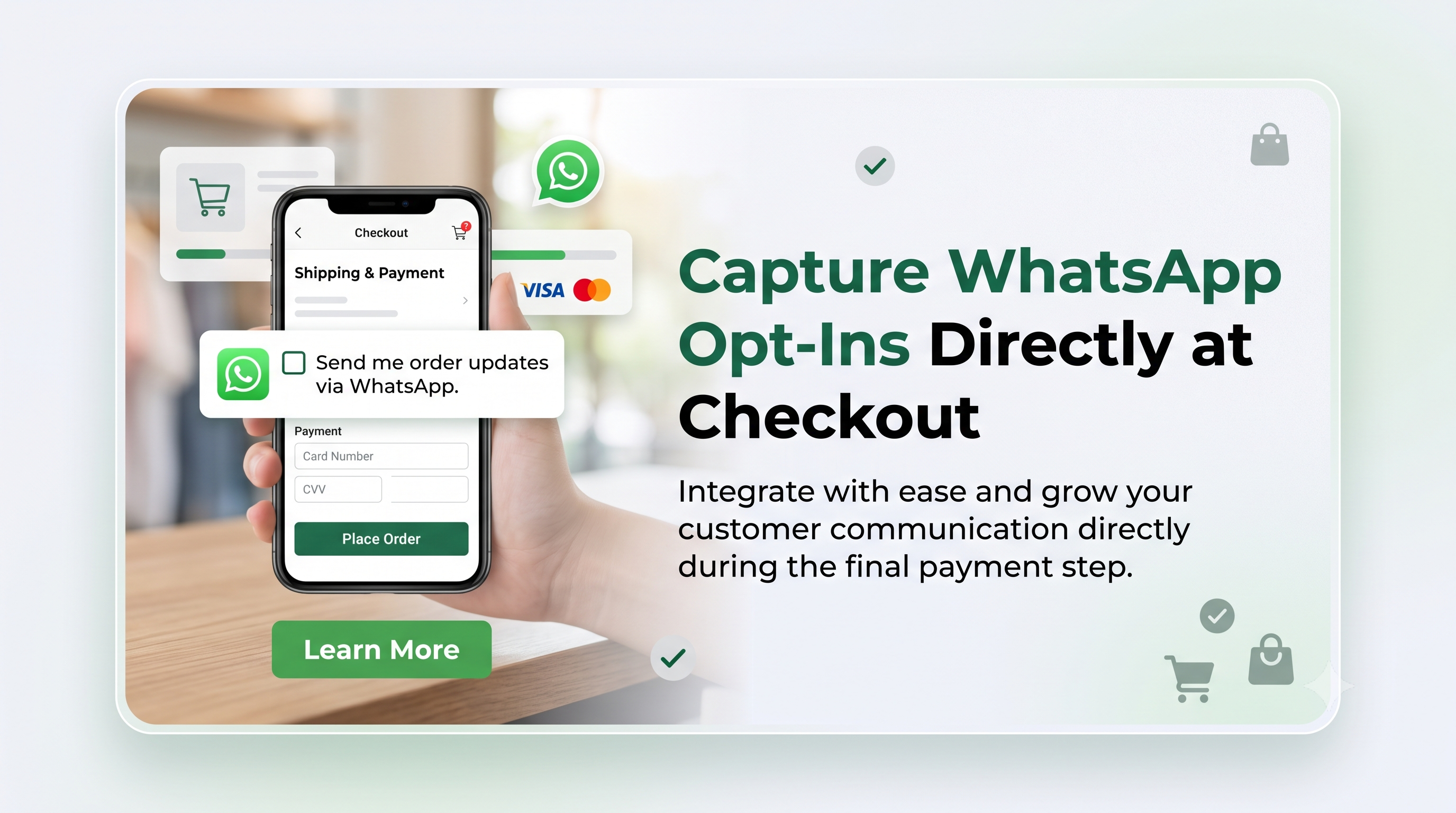
Shopify now lets merchants gather WhatsApp marketing consent right at checkout, turning every purchase into a lead‑generation opportunity. Learn how to enable the feature, what developers need to know, and best practices for turning opt‑ins into revenue.

Capture WhatsApp Opt‑Ins Directly at Checkout
6 sections

If you’ve been looking for a seamless way to grow your WhatsApp subscriber list, Shopify’s latest checkout enhancement is a game‑changer. The new "Collect WhatsApp marketing consent at checkout" option lets merchants capture explicit opt‑ins the moment a customer completes a purchase, opening a direct channel for promotions, order updates, and personalized outreach.

Shopify has added a toggle in the Checkout settings that, when enabled, displays a checkbox for customers to agree to receive marketing messages via WhatsApp. The consent is stored alongside the order, and merchants can export or sync the data with their WhatsApp Business API or third‑party marketing tools. This eliminates the need for separate landing pages or post‑purchase emails to ask for consent.

Who Needs to Pay Attention?

• Merchants: Anyone using Shopify Payments or a custom checkout flow can turn the feature on with a single click. It’s especially valuable for brands that already use WhatsApp for customer service or promotions.

• Developers & Theme Builders: While the consent UI is native to Shopify, developers may need to adjust custom checkout extensions, Liquid snippets, or apps that interact with order metadata to ensure the new consent field is correctly read and passed downstream.

  • From your Shopify admin, go to Settings > Checkout.
  • Scroll to the Marketing section.
  • Find the WhatsApp marketing consent toggle and switch it on.
  • Save the changes.
  • (Optional) Customize the label text that appears next to the checkbox to match your brand voice.
  • The setting is stored in the store’s checkout configuration and does not require any code changes to appear for shoppers. However, you may want to style the label or add a brief tooltip—both are possible with a few lines of Liquid.

    Technical Checklist for Developers

    a. Expose the consent flag in the order payload

    When an order is created, Shopify adds a boolean field checkout_attributes.whatsapp_marketing_consent (or similar) to the webhook payload. Make sure any order‑processing webhook, API integration, or custom app reads this flag.

    {

    "id": 123456789,

    "checkout_attributes": {

    "whatsapp_marketing_consent": true

    }

    }

    b. Update Liquid themes (if you render order details)

    If you have a custom "Thank you" page that displays order metadata, you can surface the consent status:

    liquid

    {% if order.checkout_attributes.whatsapp_marketing_consent %}

    <p>✅ You’ve opted in to receive WhatsApp updates.</p>

    {% endif %}

    c. Sync with WhatsApp Business API

    Most merchants use a middleware (e.g., Zapier, Integromat, or a custom Node.js service) to push new opt‑ins to WhatsApp. The new consent field means you can trigger the API call only when whatsapp_marketing_consent is true, keeping your contact list clean and compliant.

    js

    if (order.checkout_attributes.whatsapp_marketing_consent) {

    await whatsappClient.addContact({

    phone: order.phone,

    name: order.customer.first_name,

    opt_in_source: 'checkout'

    });

    }

    Best Practices for Using WhatsApp Opt‑Ins

  • Be Transparent – Include a short description next to the checkbox (e.g., "Receive exclusive offers and order updates via WhatsApp"). Transparency reduces friction and improves conversion rates.
  • Respect Frequency – WhatsApp has strict rules about message volume. Aim for high‑value content, such as order status, flash sales, or loyalty rewards, rather than daily promos.
  • Segment Early – Tag new WhatsApp contacts as "checkout_optin" in your CRM. This lets you tailor messaging based on purchase behavior.
  • Provide an Easy Opt‑Out – Include a simple "Reply STOP to unsubscribe" line in every broadcast. Compliance protects your account from being flagged by WhatsApp.
  • Test Placement – While the checkbox appears by default under the order summary, you can use Shopify Scripts or checkout extensions to reposition it for optimal visibility.
  • Next Steps & Resources

  • Enable the feature in your store’s Checkout settings today.
  • Review the webhook payload schema in Shopify’s API reference to ensure your apps capture the new consent flag.
  • Check out the official WhatsApp Business API documentation for best‑practice guidelines on messaging frequency and opt‑out handling.
  • Join the Shopify Community forums to share your implementation tips and learn from other merchants who are already seeing higher engagement through WhatsApp.
  • Ready to turn every purchase into a direct conversation? Activate WhatsApp consent now, update your integrations, and start nurturing leads where they’re already chatting. If you need help customizing your checkout or syncing contacts, reach out to a Shopify Expert or drop a comment below!
    Tags
    Sources

    Related Articles

    Discounts Allocator Function API Preview Ends – Immediate Actions for Developers
    Platform Updates

    Discounts Allocator Function API Preview Ends – Immediate Actions for Developers

    The Discounts Allocator Function API preview is over and the API has been removed. Learn what changed, who is impacted, and how to update your app configuration to keep deployments running smoothly.

    September 10, 20263 min
    Create and Delete Dev Stores Directly from Shopify CLI 4.8
    Platform Updates

    Create and Delete Dev Stores Directly from Shopify CLI 4.8

    Shopify CLI 4.8 introduces terminal commands to create, list, inspect, and delete development stores, giving developers full control over their Dev Dashboard environments. Learn what changed, who it impacts, and how to automate store cleanup before hitting the new 250‑store limit.

    September 9, 20264 min
    Multiple Barcodes per Variant: What Shopify Merchants and Developers Need to Know
    Platform Updates

    Multiple Barcodes per Variant: What Shopify Merchants and Developers Need to Know

    Shopify now lets each product variant hold up to 20 barcodes, simplifying inventory across UPCs, EANs, ASINs, and custom codes. Learn how this change impacts your store, the API, CSV workflows, and the steps to start using it.

    September 8, 20264 min
    Meta Joins Your AI Channels: What Shopify Merchants Need to Know
    Platform Updates

    Meta Joins Your AI Channels: What Shopify Merchants Need to Know

    Meta is now an AI channel in the Shopify admin, letting merchants sync products, enable direct checkout, and track performance alongside other AI channels. Learn what changed, who’s affected, and the exact steps to configure Meta for your store.

    September 8, 20265 min