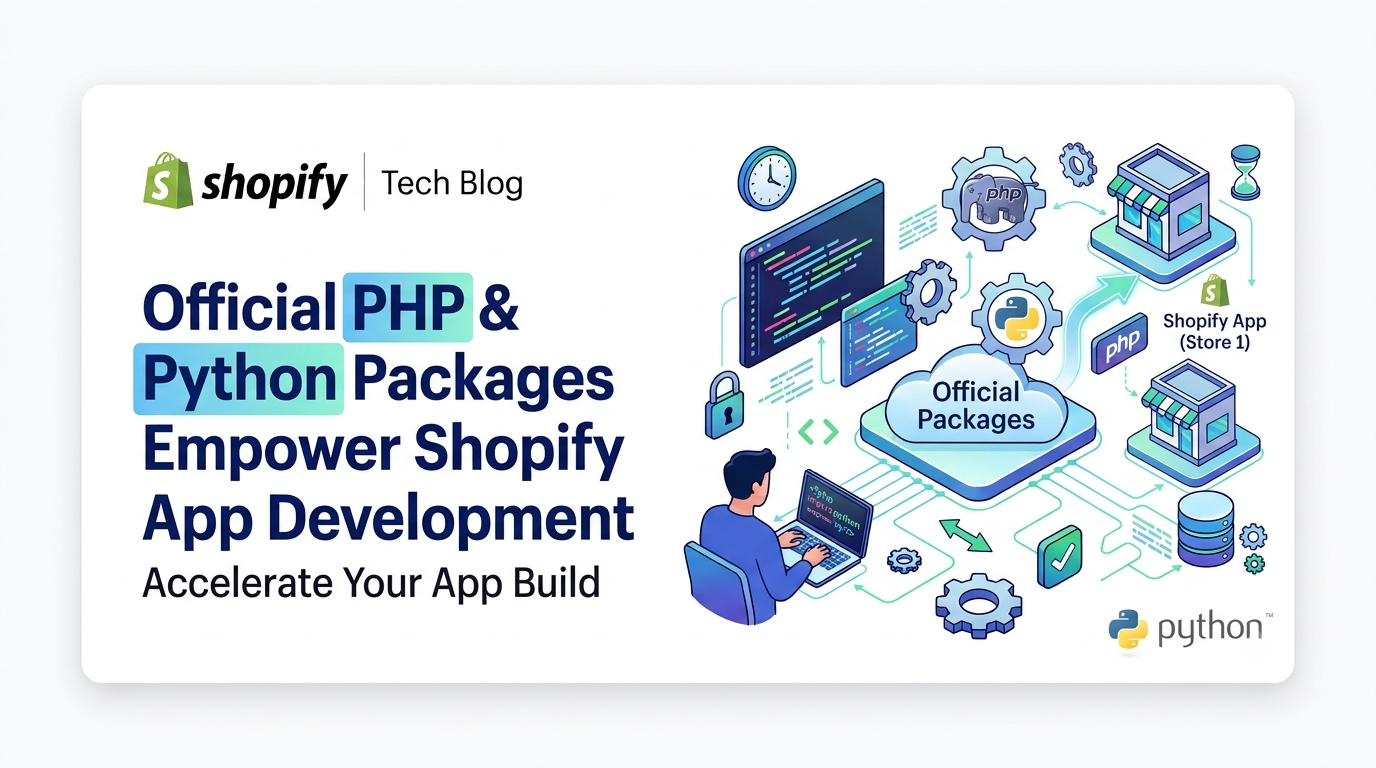
Shopify’s developer ecosystem just got a major upgrade. The platform has released official, version‑1.0 packages for PHP and Python, replacing the older community‑maintained libraries. These new packages—shopify/shopify-app-php on Packagist and shopifyapp on PyPI—provide lightweight, framework‑agnostic primitives for the most common app‑building tasks: request verification, token exchange, and Admin GraphQL calls. In this post we’ll break down exactly what’s new, who needs to pay attention, and the concrete steps you can take to start using (or migrating to) the new libraries.
What Changed
Two new, officially‑supported packages are now generally available. Install them with a single command:
PHP: composer require shopify/shopify-app-php
Python: pip install shopifyapp
Both libraries expose the same set of primitives, letting you compose exactly what you need instead of adopting a full‑stack framework. The core capabilities include:
• Request verification for webhooks, App Bridge, App Home, app proxy, Checkout, POS, Admin, Customer Account, and Flow extensions
• Token exchange (client‑credentials flow) and automatic token refresh
• An Admin GraphQL client with built‑in retry logic
Because the primitives are language‑agnostic, they work with any stack—Laravel, Symfony, Django, FastAPI, or even a plain PHP/Python script.
The older libraries (shopify-api-php and shopify_python_api) are now deprecated. They remain functional but will no longer receive feature updates or security patches, and both are marked as abandoned/inactive on their respective package registries.
Who Is Affected
This update is relevant only to developers who build Shopify apps using PHP or Python. Merchants who run stores are not directly impacted, nor are developers using the Node.js or Ruby SDKs—their tooling stays the same. Existing apps that still rely on the deprecated libraries will continue to run, but developers should plan a migration to take advantage of the newer, more secure primitives.
Why It Matters
The new packages are intentionally small and explicit. Each primitive maps to a single step in the OAuth or webhook workflow, making the code easier to audit, debug, and even hand‑off to AI‑assisted coding tools. Consistency across PHP and Python means a feature or bug‑fix added in one language instantly benefits the other, reducing fragmentation. Most importantly, the design supports incremental adoption—you can replace a single verification method today without rewriting the entire app.
Getting Started with the New Packages
PHP example – Verifying an App Home request and exchanging a token
php
use Shopify\App\ShopifyApp;
$clientId = getenv('SHOPIFY_API_KEY');
$clientSecret = getenv('SHOPIFY_API_SECRET');
$shopify = new ShopifyApp($clientId, $clientSecret);
// $request is a PSR‑7 ServerRequestInterface instance
$result = $shopify->verifyAppHomeReq($request);
if ($result->isValid()) {
// $result->shop and $result->idToken are ready to be exchanged
$tokenResponse = $shopify->exchangeToken($result->shop, $result->idToken);
// Store $tokenResponse->accessToken securely
} else {
// Handle verification failure
}
Python example – Verifying a webhook
python
from shopifyapp import ShopifyApp
import os
client_id = os.getenv('SHOPIFY_API_KEY')
client_secret = os.getenv('SHOPIFY_API_SECRET')
app = ShopifyApp(client_id, client_secret)
# Assume request is a Flask request object
verified = app.verify_webhook(request)
if verified:
# Process the webhook payload
else:
# Return 401 or log the attempt
Both snippets demonstrate the “verify‑then‑exchange” pattern without pulling in a full framework. Swap in your own routing, error handling, and storage logic as needed.
Migrating from Deprecated Libraries
If you’re currently using shopify-api-php or shopify_python_api, there is no forced deadline. However, to stay on a supported code path you should:
• Review the README of the new package for a side‑by‑side map of old methods to new primitives.
• Replace one verification flow at a time (e.g., start with webhook verification) and run integration tests against a development store.
• Once all critical paths are covered, remove the old dependency from composer.json or requirements.txt.
Because the new libraries share the same contract, you can keep your existing business logic and only swap the low‑level helpers. This incremental approach reduces risk and lets you keep shipping features while you modernize.
Action Checklist
✅ Install the official package for your language
✅ Add environment variables for API key/secret
✅ Implement request verification using the appropriate verify* method
✅ Exchange the verified token to obtain an access token
✅ Test GraphQL calls with the built‑in client and retry logic
✅ If applicable, migrate existing code from the deprecated libraries
✅ Document the new flow for future developers or AI‑assisted code generation
Conclusion & Next Steps
Shopify’s move to official, language‑specific packages for PHP and Python is a subtle but powerful shift. By giving developers granular, security‑first primitives, the platform makes it easier to write clean, maintainable apps and to adopt new features as they arrive. Whether you’re starting a brand‑new app or planning a gradual upgrade of an existing codebase, the steps outlined above will get you up and running with the supported libraries quickly.
Ready to modernize your Shopify app? Install the package today, run the verification tests on a dev store, and share your experience in the Shopify developer community. Happy coding!