If you’ve been using Shopify’s ScriptTag API to sprinkle custom JavaScript onto a store’s online storefront, you’ve just received a critical heads‑up. Starting October 1, 2026 the scriptTagCreate and scriptTagUpdate mutations will error out, and on March 1, 2027 Shopify will cease injecting any script tags into storefronts entirely. This post breaks down the change, who it impacts, and—most importantly—how you can migrate today so your app and your merchants stay functional and compliant.
What’s Changing: Script Tags Will No Longer Run
A ScriptTag is a lightweight way for an app to load external JavaScript without touching the merchant’s theme code. After the March 1, 2027 cutoff, Shopify will stop injecting those tags, meaning any JavaScript that relied on this mechanism will simply never load. Existing tags will continue to run until that date, but the API endpoints for creating or updating them will return a user error from October 1, 2026 onward. The scriptTags query and scriptTagDelete mutation remain functional for audit and cleanup purposes.
Who’s Affected: Developers and Merchants
The deprecation targets apps that generate script tags with a display_scope of online_store. If your app injects analytics, conversion tracking, UI enhancements, or any custom behavior via a script tag, you must replace that logic. Merchants are indirectly impacted because the scripts they rely on will stop working, which can break checkout experiences, marketing tools, or theme customizations. Apps that only used script tags on the order status page were already deprecated earlier, so this is the final piece of the script‑tag sunset.
Deprecation Timeline: Key Dates to Mark
scriptTagCreate and scriptTagUpdate mutations start returning a user error. Existing tags continue to run but can’t be modified.\n- March 1, 2027 – Shopify stops injecting script tags into storefronts. All script‑tag‑based JavaScript halts.Migration Path: Replace Script Tags with App Embed Blocks
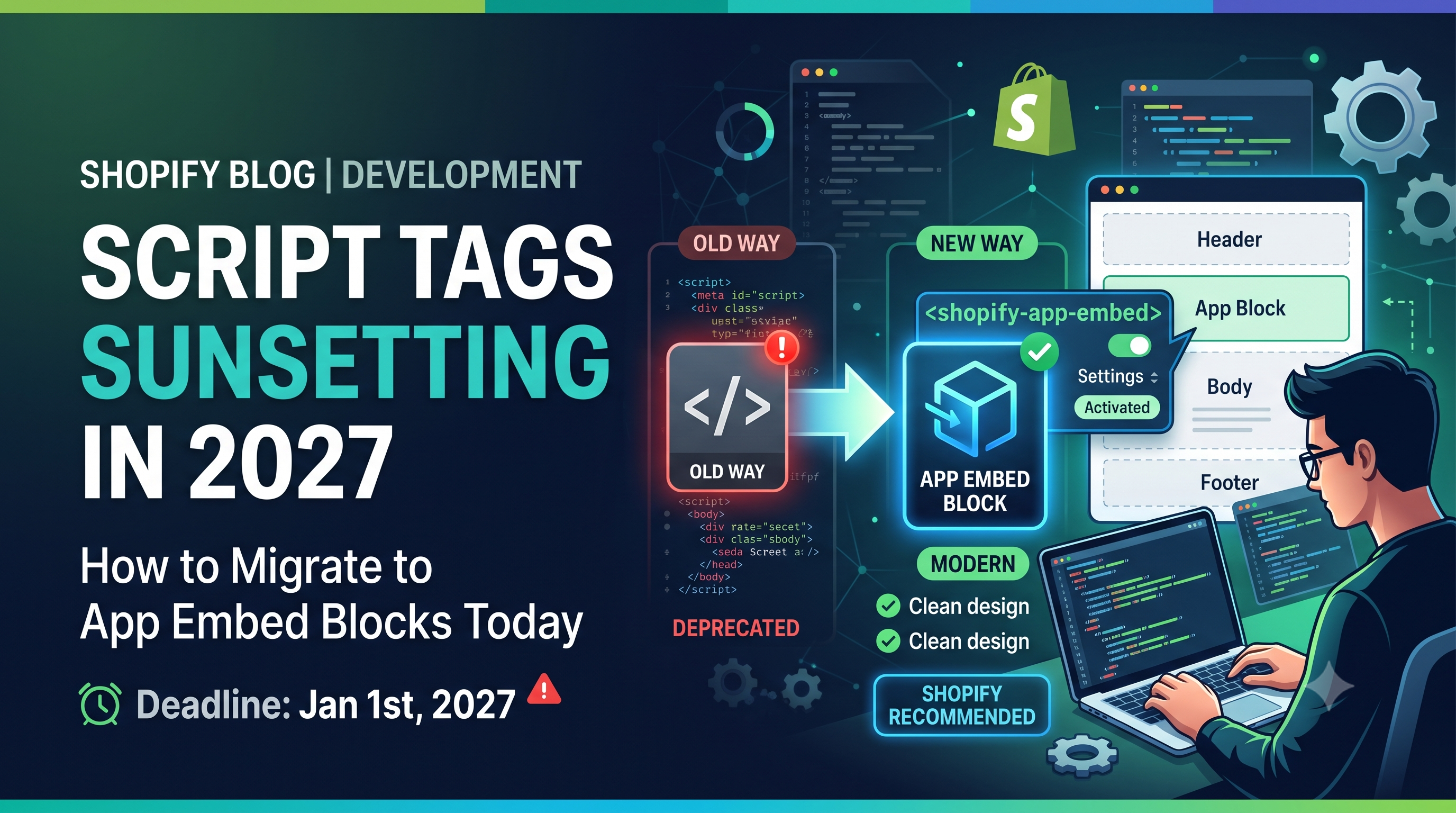
Shopify’s recommended replacement is an App Embed Block shipped via a Theme App Extension. The flow is simple:
shopify extension create theme).\n2. Add an app_embed block that renders the same JavaScript you previously served via a script tag.\n3. Publish the extension.\n4. Merchants enable the embed block from the Theme Editor, just like any other section.Here’s a minimal example of an app_embed block (blocks/my_script.liquid):
liquid\n{% if shop.enabled? %}\n <script src="https://cdn.myapp.com/widget.js" defer></script>\n{% endif %}\n
And the accompanying blocks/my_script.schema.json to expose a toggle in the editor:
\n{\n "name": "My App Script",\n "target": "app_embed",\n "settings": [{\n "type": "checkbox",\n "id": "enabled",\n "label": "Enable script",\n "default": true\n }]\n}\n
Once deployed, merchants will see a new “My App Script” embed block under App embeds in the theme editor. Enabling it injects the same <script> tag that the old ScriptTag API used, but now the code lives in a version‑controlled extension rather than a mutable API call.
Alternative for Analytics: Use Web Pixels
If your script tag’s sole purpose is to collect analytics or conversion data, Shopify recommends switching to a Web Pixel. Web pixels are declarative, require no merchant interaction, and are not affected by the script‑tag deprecation. Implement a pixel by defining it in your app’s shopify.extension.toml and providing the JavaScript endpoint that Shopify will call on each page view.
Action Checklist for Your App
scriptTags query. Identify those with display_scope: online_store.\n- Plan the migration: decide whether each tag becomes an app embed block or a web pixel.\n- Develop the theme app extension and embed blocks. Use the sample code above as a starting point.\n- Test the embed block in a development store to confirm the script loads and behaves identically to the old tag.\n- Communicate with merchants: add a notice in your app UI, update documentation, and provide a migration guide.\n- Clean up: after March 1, 2027, delete all obsolete script tags with scriptTagDelete to keep the store tidy.Conclusion & Next Steps
The script‑tag sunset is a clear signal that Shopify wants developers to adopt the more robust, version‑controlled theme app extensions. By migrating now, you avoid a hard stop in March 2027, give merchants a smoother activation experience, and future‑proof your app against upcoming platform changes. Start the audit today, build your first app embed block, and keep an eye on the October 1, 2026 deadline. Need help? Reach out in the Shopify Community forums or drop a comment below—let’s get your store ready for a script‑free future!