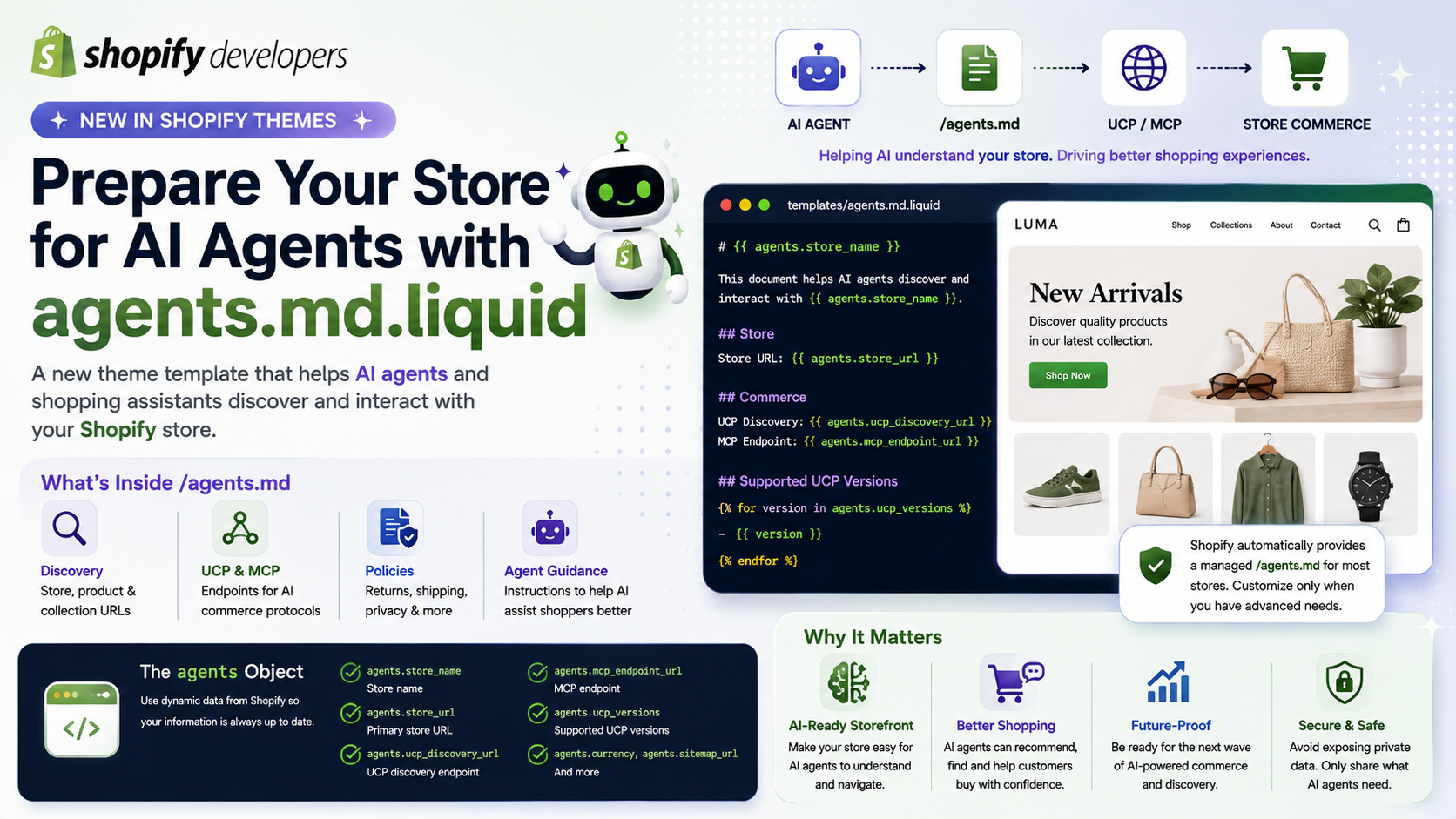
The new agents.md.liquid template allows Shopify developers to customize the information that AI agents and shopping assistants use to discover a store's commerce capabilities. Shopify describes agents.md as the canonical, agent-facing description of a store.
What Is agents.md?
agents.md is a special file available at:
https://your-store.com/agents.md
Unlike traditional SEO files that are primarily designed for search engines, agents.md is designed specifically for AI agents and shopping assistants.
It can provide information such as:
Shopify automatically generates an agents.md file for every store, so most merchants don't need to create anything manually.
Why Is This Important?
Imagine a customer asking an AI shopping assistant:
"Find me a pair of running shoes from this store under $100."
Instead of an AI having to guess how the storefront works by reading HTML, agents.md provides a structured description of how the store can be discovered and interacted with.
This is part of a broader shift from traditional human-only storefronts toward storefronts that can also communicate with AI-powered shopping agents.
In other words:
Traditional Store
↓ Human → Website → Products
is evolving toward:
AI Agent
↓ agents.md
↓ UCP / MCP
↓ Store Commerce Capabilities
↓ Products / Collections / Checkout
Shopify Already Provides a Managed Version
One of the most important details is that Shopify automatically manages agents.md by default.
For most stores, this managed version is sufficient because Shopify keeps it aligned with the store's agent-discovery capabilities and commerce configuration.
Therefore, developers shouldn't automatically add an agents.md.liquid file just because the feature exists.
Shopify recommends customizing it only when your store has advanced requirements that aren't covered by the default version.
What Is agents.md.liquid?
If you need more control, you can create:
templates/agents.md.liquid
This template controls the content served at:
/agents.md
It uses a combination of Markdown and Liquid.
For example:
# Agent Instructions — {{ agents.store_name }}

This document describes how AI agents can interact with
{{ agents.store_url }}.

## Commerce Protocol

- Discovery: `GET {{ agents.ucp_discovery_url }}`
- MCP endpoint: `POST {{ agents.mcp_endpoint_url }}`

## Supported UCP Versions

{% for version in agents.ucp_versions %}
- {{ version }}
{% endfor %}
Shopify provides a special agents object so developers can dynamically access important store and commerce information.
The agents Object
The agents object is particularly important because it helps developers avoid hardcoding information that could become outdated.
It provides properties such as:
| Property | Purpose |
|---|---|
| agents.store_name | Store name |
| agents.store_url | Primary store URL |
| agents.ucp_discovery_url | UCP discovery endpoint |
| agents.mcp_endpoint_url | MCP endpoint |
| agents.ucp_versions | Supported UCP versions |
| agents.currency | Primary store currency |
| agents.sitemap_url | Store sitemap URL |
These values are automatically populated by Shopify and stay synchronized with the store's commerce configuration.
This is preferable to hardcoding URLs such as:
https://example.com/api/ucp/mcp
because the agents object keeps these values up to date.
An Important Difference From Normal Liquid Templates
Developers need to be careful here.
agents.md.liquid does not have the same Liquid context as a normal theme template.
Only these objects are available:
request
agents
Standard Shopify Liquid objects such as:
{{ shop }}
{{ collections }}
{{ pages }}
{{ blogs }}
{{ articles }}
aren't available in this template and will render blank.
This restriction exists because the file needs to be safe to broadly cache and serve to AI agents.
Therefore, if you want to include store information, use the agents object or explicitly hardcode the information you need.
agents.md vs llms.txt
Shopify also connects agents.md with the increasingly common llms.txt ecosystem.
By default:
/agents.md
/llms.txt
/llms-full.txt
can provide the same agent-discovery content.
If you want /llms.txt or /llms-full.txt to contain different information, you can create dedicated Liquid templates for those URLs.