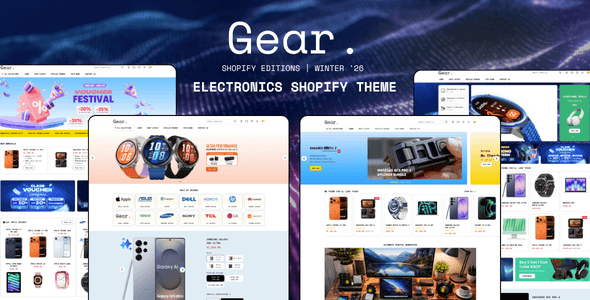

Choosing the right Shopify theme is one of the most critical decisions you'll make for your online store. It's not just about aesthetics; your theme is the foundation of your brand, user experience, performance, and ultimately, your conversion rates. While Shopify offers a fantastic range of free themes, premium options often unlock a new level of functionality and optimization, allowing you to build faster and sell more. Today, we're diving deep into one such premium powerhouse: the Booster Theme. Renowned for its speed and comprehensive feature set, Booster positions itself as an all-in-one solution for merchants and developers looking to elevate their e-commerce game.
Why Booster Theme is a Game-Changer for Your Shopify Store
Booster isn't just another pretty face; it's engineered for performance and sales.
Blazing Fast Performance & SEO Foundations: In the world of e-commerce, speed is paramount. Booster is famously fast, designed to load quickly and provide a smooth browsing experience. It often comes with built-in image optimization and clean code, which are crucial for both user experience and search engine optimization (SEO). As Fuel Themes rightly points out, your theme is half your SEO, covering critical aspects like schema markup, page speed, and heading structure right out of the box. This means better rankings and happier customers from the get-go.
Feature-Rich & App Reduction: This is where Booster truly shines. Many premium themes aim to replace the need for numerous third-party apps, and Booster is a prime example. It typically includes a suite of powerful marketing and conversion tools built directly into the theme, such as:
Countdown Timers: Create urgency for sales or product launches.
Upsell/Cross-sell Pop-ups: Boost average order value.
Product Quick View: Improve shopping flow.
Mega Menus: Enhance navigation for larger catalogs.
Advanced Filtering: Help customers find products faster.
These built-in features can significantly reduce your monthly app subscription costs and minimize potential conflicts or slowdowns that can arise from integrating too many external applications. As discussed in the Shopify Community, integrated features often negate the need for separate apps for functionalities like reviews or banners.
Visual Versatility & Conversion Focus: Described as a solid all-rounder on Reddit, Booster is designed with a variety of businesses in mind. It offers wide variety of homepage styles and versatile product page options, allowing you to tailor the look and feel to your brand's unique aesthetic. More importantly, its design principles are rooted in conversion best practices, aiming to guide your customers seamlessly through the purchasing journey to the world's best-converting checkout that Shopify provides.
Who Should Leverage the Booster Theme?
While Booster is versatile, certain types of merchants and developers will find it particularly impactful:
Growth-Focused Merchants: If you're serious about scaling your store, increasing conversions, and enhancing the customer experience without heavy reliance on external apps, Booster is an excellent fit. It provides the tools you need to run promotions, optimize product pages, and streamline navigation.
Stores with Medium to Large Catalogs: Its robust navigation options, like mega menus and advanced filtering, make it ideal for stores offering a diverse range of products where ease of discovery is key.
Performance-Conscious Businesses: Any merchant for whom site speed and SEO are non-negotiables will appreciate Booster's core optimizations.
Developers Looking for a Solid Foundation: For developers building client stores, Booster offers a well-structured codebase and extensive customization options within the theme editor, allowing for efficient development and less time spent troubleshooting app conflicts.
Understanding Booster's Tradeoffs
No theme is perfect for everyone, and it's important to have a clear view of the potential drawbacks:
Initial Investment: Premium themes like Booster come with a price tag, often around $380, as highlighted by Omnithemes. This is a significant upfront cost compared to free Shopify themes, though many argue it's an investment that pays for itself in reduced app costs and increased conversions.
Learning Curve for Advanced Customization: While Booster aims to be user-friendly, its extensive feature set and customization options mean there might be a steeper learning curve for new merchants who want to dive deep into every setting. Getting the most out of its capabilities requires exploring its various configurations.
Potential for Feature Overload (for minimalist stores): If your business model is extremely simple with only a few products and minimal marketing needs, some of Booster's integrated features might be more than you require. In such cases, a lighter, more minimalist theme (free or premium) might offer a less cluttered backend experience.
Getting Started: Pro Tips for Setting Up Booster
Ready to unlock Booster's potential? Here’s how to set it up for success:
Utilize the Free Trial: Archetype Themes (and many premium theme developers) often offer a free trial period. This is crucial! Install Booster on your development store, experiment with its features, and see how it aligns with your products and brand before committing to the purchase.
Prioritize Content & Media: Before diving into theme settings, ensure you have high-quality product images, compelling descriptions, and well-organized collections. A great theme amplifies great content; it doesn't create it.
Master Sections and Blocks: Booster, like all modern Shopify 2.0 themes, heavily leverages sections and blocks. Spend time in the theme editor exploring how you can drag, drop, and configure these elements to build unique page layouts without touching any code. This is where the visual versatility truly shines.
Optimize as You Go: Even with Booster's built-in image optimization, always use appropriately sized and compressed images. Regularly check your store's speed with tools like Google PageSpeed Insights. Leverage Booster's specific speed settings to fine-tune performance.
Strategic Feature Deployment: Don't activate every single built-in feature just because it's there. Be strategic. Do you truly need a countdown timer on every product page? Focus on features that genuinely enhance your customer's journey and drive conversions for your specific business.
Developer Insight: Clean Code & Custom Snippets: For developers, appreciate Booster's generally clean codebase. When adding custom code or integrating third-party scripts, ensure they are placed efficiently (e.g., in snippets or conditional blocks) to avoid unnecessary page weight or conflicts, maximizing the theme’s inherent performance benefits.
Conclusion
The Booster Theme stands out as a robust, high-performance, and feature-rich option for Shopify merchants and developers aiming for sustainable growth and an optimized user experience. While it represents an investment, its ability to enhance speed, streamline operations by reducing app reliance, and provide powerful conversion tools makes it a compelling choice for many e-commerce businesses. By understanding its strengths, acknowledging its tradeoffs, and following smart setup practices, you can harness Booster to build a truly impactful and profitable online store.
Ready to experience the Booster difference? Head over to the Shopify Theme Store or Booster's official website to explore its demos and start your free trial today!