
Choosing the right Shopify theme is more than just picking a pretty face for your online store. It's about selecting a foundational tool that impacts your brand's visual identity, user experience, performance, and ultimately, your conversion rates. With over 800 themes available on the Shopify Theme Store (and many more premium options elsewhere), the decision can be daunting.
Today, we're putting one particularly strong contender under the microscope: the Booster Theme. While not native to the Shopify Theme Store, Booster has carved out a niche as a high-performance, conversion-focused theme, especially popular among fashion, apparel, and direct-to-consumer (DTC) brands looking to maximize sales without relying on dozens of apps. Let's explore who should use it, its core strengths, the honest tradeoffs, and how to set it up for success.
Why Choose Booster? The Core Strengths
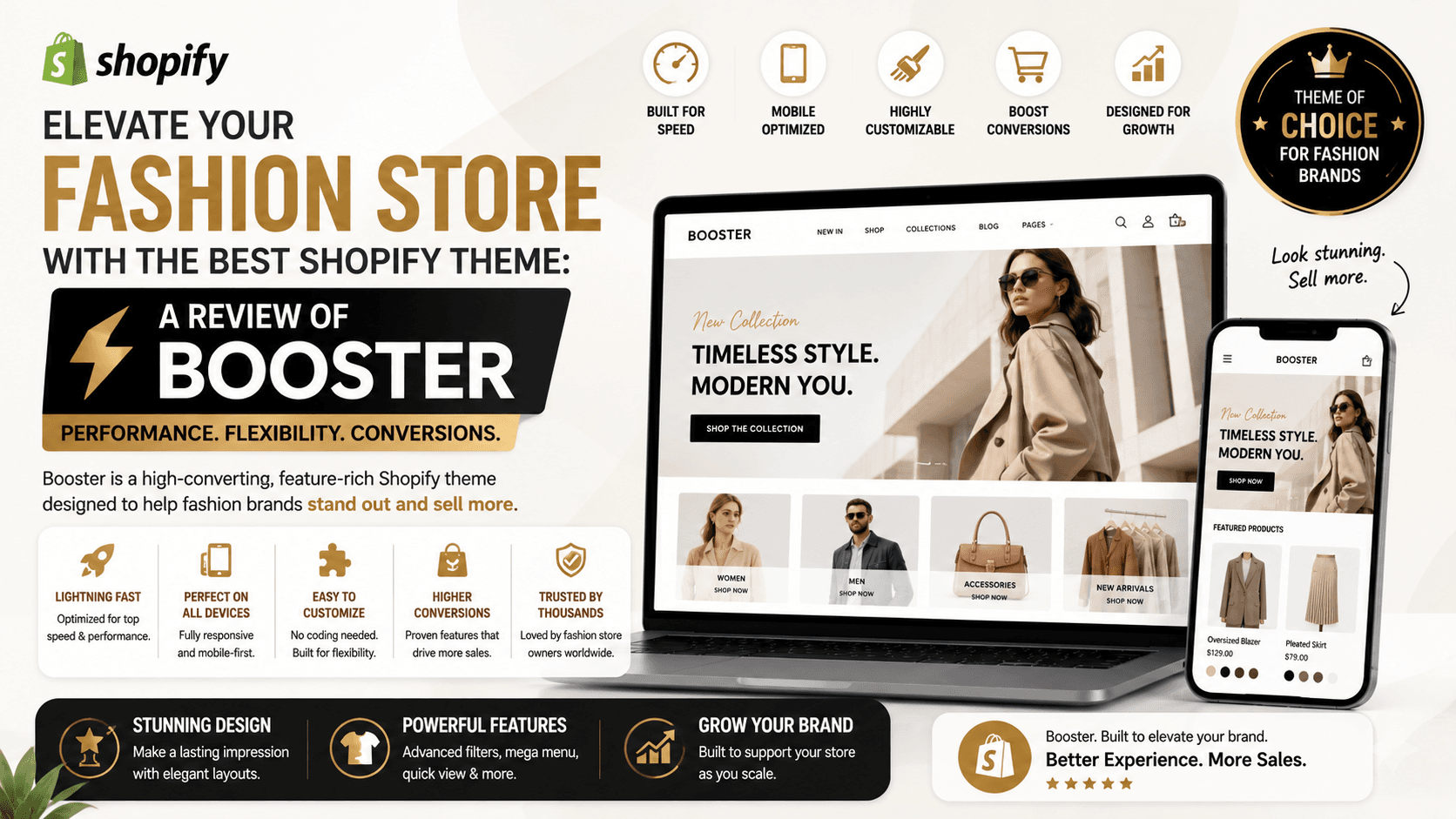
Booster Theme isn't just another Shopify template; it's engineered with a singular focus: converting visitors into customers. Here’s why it stands out:
– Conversion-Focused Features Out-of-the-Box: This is where Booster truly shines. It integrates many features typically requiring separate apps, such as countdown timers for urgency, social proof notifications, sticky add-to-cart buttons, exit-intent pop-ups, upsell/cross-sell functionality, and currency converters. For a clothing store, this means you can create a dynamic, persuasive shopping environment designed to reduce cart abandonment and increase average order value (AOV).
– Optimized for Performance and UX: In an age where every millisecond counts, Booster is built with speed in mind. Faster loading times lead to better SEO, lower bounce rates, and improved user experience. Its clean, responsive design ensures your store looks fantastic and functions flawlessly across all devices, a crucial factor for mobile-first shoppers browsing apparel.
– Visual Style & Modern Aesthetics: While highly customizable, Booster typically offers a clean, modern, and spacious layout that is ideal for showcasing fashion products. Its emphasis on high-quality imagery, smooth animations, and clear product presentation helps clothing brands tell their story and highlight product details effectively. Think minimalist elegance combined with powerful backend features.
– Reduced App Dependency: By integrating so many features, Booster can significantly reduce your reliance on third-party apps. This not only saves you monthly subscription costs but also minimizes potential conflicts between apps and keeps your site cleaner and potentially faster, as fewer scripts are loading.
Is Booster Right for Your Store? Ideal Use Cases & Catalog Types
Booster is an excellent choice for:
– Fashion & Apparel Brands: As noted in Reddit discussions and industry reviews, Booster is often hailed as a top contender for clothing stores. Its visual focus, emphasis on product presentation, and conversion tools are perfectly aligned with selling fashion items.
– DTC Brands & Single Product Stores: If you're focusing on a few hero products or a curated collection, Booster's features allow you to build compelling product pages that drive immediate action.
– Merchants Focused on Conversion Optimization: If A/B testing, sales funnels, and maximizing every visitor's value are priorities, Booster gives you an excellent toolkit.
– Businesses Scaling Up: For growing stores, having integrated features can streamline operations and reduce the complexity of managing numerous apps.
The Honest Look: Understanding Booster's Tradeoffs
No theme is perfect for everyone. It's important to consider Booster's potential downsides:
– Premium Cost: Booster is a paid theme and generally commands a higher price point than many alternatives, often involving an annual license. While it might save you on app subscriptions, it's an upfront investment to budget for. If you have no budget limit, a custom-made theme might offer ultimate tailored functionality, but Booster provides a powerful, off-the-shelf alternative.
– Feature Overload Potential: With so many integrated features, there's a risk of enabling too many, which can clutter your store, overwhelm customers, and ironically, hurt conversions or performance. The key is strategic implementation.
– Learning Curve: While designed to be user-friendly, the sheer number of options and settings can be intimidating for new merchants. Developers might find the code base extensive due to all the bundled features.
– Third-Party Support: As it's not a Shopify-native theme, you rely on the theme developer for support and updates, which might differ from Shopify's direct support. Evaluate their documentation and support channels before committing.
Mastering Booster: Setup & Customization Tips for Merchants & Developers
To truly leverage Booster's power, follow these practical tips:
For Merchants:
1. Start Lean: Don't enable every feature at once. Begin with core styling and essential conversion elements. Introduce others incrementally based on data and A/B testing.
2. High-Quality Imagery is Non-Negotiable: Especially for fashion, professional photos and videos are key. Booster provides excellent layouts for showcasing them, but the quality of your assets will make or break your visual appeal.
3. Personalize Smartly: Use Booster’s customization options to align with your brand's unique colors, fonts, and messaging. Consistency builds trust.
4. Mobile-First Review: Always preview and test your store extensively on mobile devices. A significant portion of fashion shoppers browse on their phones.
For Developers:
1. Understand the Core Structure: Before diving into customizations, familiarize yourself with Booster's Liquid structure and how its integrated features are implemented. This will prevent conflicts when making custom code changes.
2. Prioritize Performance Optimization: While Booster is built for speed, custom additions or excessive content can slow it down. Minify CSS/JS, optimize image delivery (consider lazy loading), and defer non-critical scripts.
3. Child Theme / Duplication for Safety: Always work on a duplicate theme. If significant custom code is needed, consider if a custom-made theme might be more beneficial in the long run, as the Reddit thread suggests for businesses with no budget limit, especially for very unique needs. For most, customizing Booster will be sufficient.
4. Accessibility Considerations: Ensure any custom changes adhere to web accessibility standards, making your store usable for everyone.
Final Thoughts: Is Booster Your Match?
For Shopify merchants in the fashion, apparel, or DTC space who are serious about conversion rates and appreciate a feature-rich, high-performance foundation, the Booster theme presents a compelling option. Its integrated conversion tools and focus on speed can give you a significant edge.
However, remember to approach it strategically, leveraging its strengths without falling into the trap of feature bloat. With thoughtful customization and a clear understanding of its potential tradeoffs, Booster can indeed become the secret weapon that propels your Shopify store to new heights.
Ready to explore other options or dive deeper into Shopify themes? Head over to the Shopify Theme Store to browse hundreds of themes designed for every niche and business goal.