As a Shopify merchant or developer, you're constantly looking for ways to improve your store's performance and increase sales. One crucial aspect of eCommerce success is conversion rate optimization (CRO). In this article, we'll explore the top 10 proven tactics to boost conversion rates on Shopify, backed by expert advice and real-world examples.
Simplify the Checkout Process
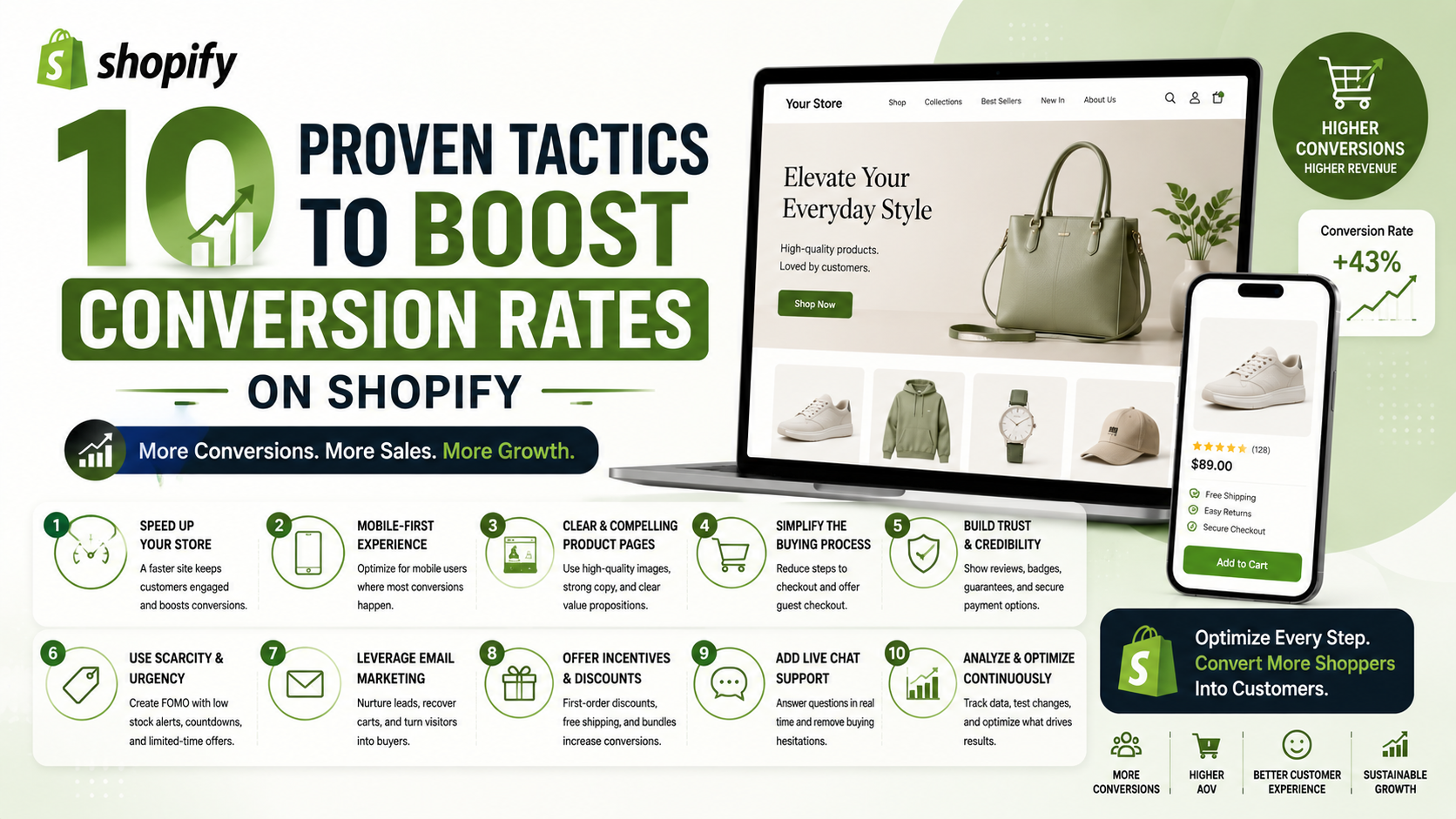
A lengthy and complicated checkout process is one of the primary reasons for cart abandonment. To simplify the checkout process, consider implementing a one-page checkout, reducing the number of form fields, and offering guest checkout options. This will help reduce friction and make it easier for customers to complete their purchases.
Use Targeted Pop-ups and Messaging
Targeted pop-ups and messaging can be an effective way to grab attention, offer personalized promotions, and encourage conversions. Consider using tools like OptinMonster to create targeted pop-ups and messaging that resonate with your audience.
Personalize the Customer Experience
Personalization is key to creating a memorable and engaging customer experience. Consider using techniques like customized landing pages, targeted messaging, and product recommendations to create a personalized experience for your customers.
Optimize Product Pages
Optimizing product pages is crucial for increasing conversions. Consider adding high-quality product images, detailed product descriptions, and customer reviews to create a compelling and informative product page.
Improve Mobile Responsiveness and UX
With the majority of online shoppers using mobile devices, it's essential to ensure that your store is mobile-friendly and provides a seamless user experience. Consider optimizing your store's mobile responsiveness, simplifying navigation, and reducing page load times to improve mobile UX.
Increase Page Load Speed
Slow page load times can significantly impact conversions and overall user experience. Consider optimizing images, leveraging browser caching, and minimizing HTTP requests to improve page load speeds.
Conclusion and Next Steps
By implementing these 10 proven tactics, you can significantly boost conversion rates on your Shopify store and drive more sales. Remember to continually test and optimize your store's performance to ensure the best results. Start by simplifying your checkout process, using targeted pop-ups and messaging, and personalizing the customer experience. Take the first step towards maximizing your store's potential and increasing conversions today!