
What is Shopify Launchpad?
Shopify Launchpad is a powerful automation tool, available for Shopify Plus merchants, designed to help you plan, schedule, and execute your sales events or product launches with precision and ease.
From managing inventory visibility to swapping themes and adjusting prices—all can be handled automatically at a scheduled time, so you can focus on strategy and customer experience instead of backend logistics.
Key Features
1. Automate Product Launches
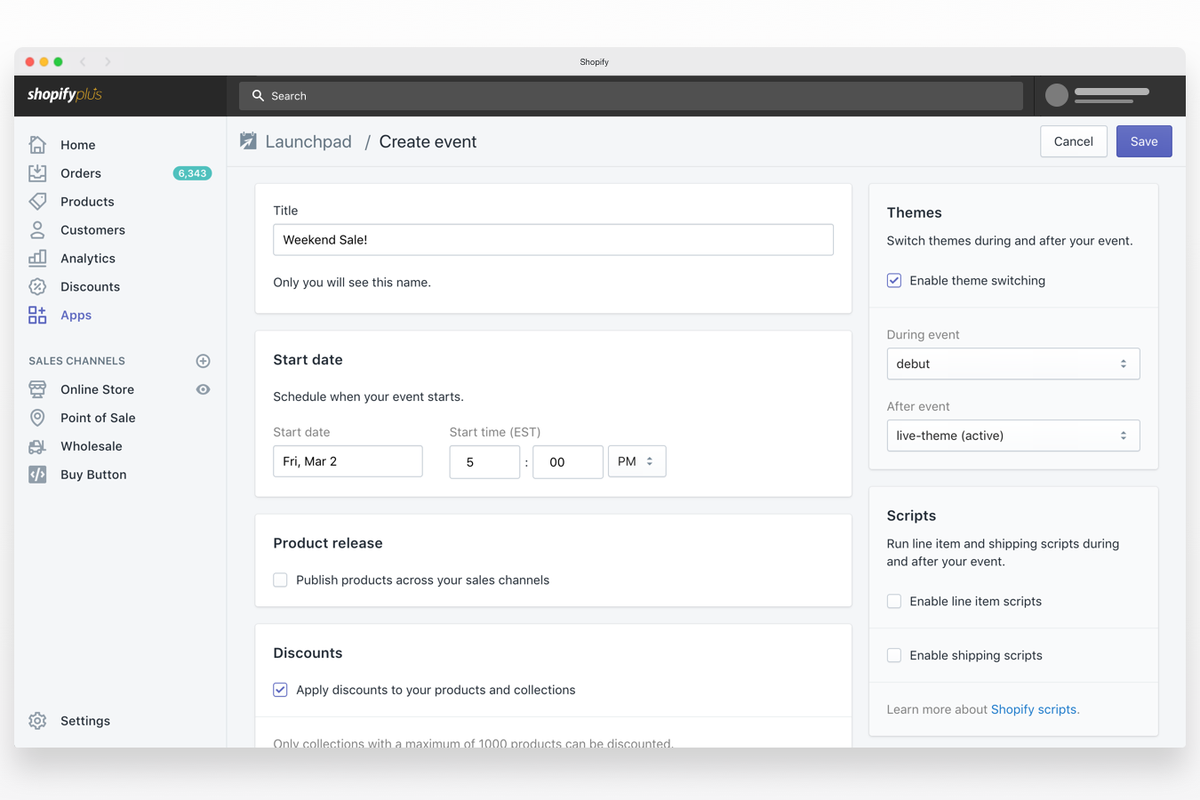
Schedule when products go live. Whether it’s a new collection or limited-edition drop, Launchpad ensures everything is published right on time.
2. Flash Sale Management
Set up start and end times for sales. Launchpad can automatically adjust product pricing, enable discount codes, and update your store theme to reflect the campaign.
3. Theme Switching
Want a different homepage for Black Friday? Launchpad can schedule a theme change, and revert it back when the sale ends—no manual effort required.
4. Inventory Control
Hide or show products based on inventory levels and campaign timing. This helps you manage hype-driven sales or ensure certain products are only available during the event.
5. Analytics Dashboard
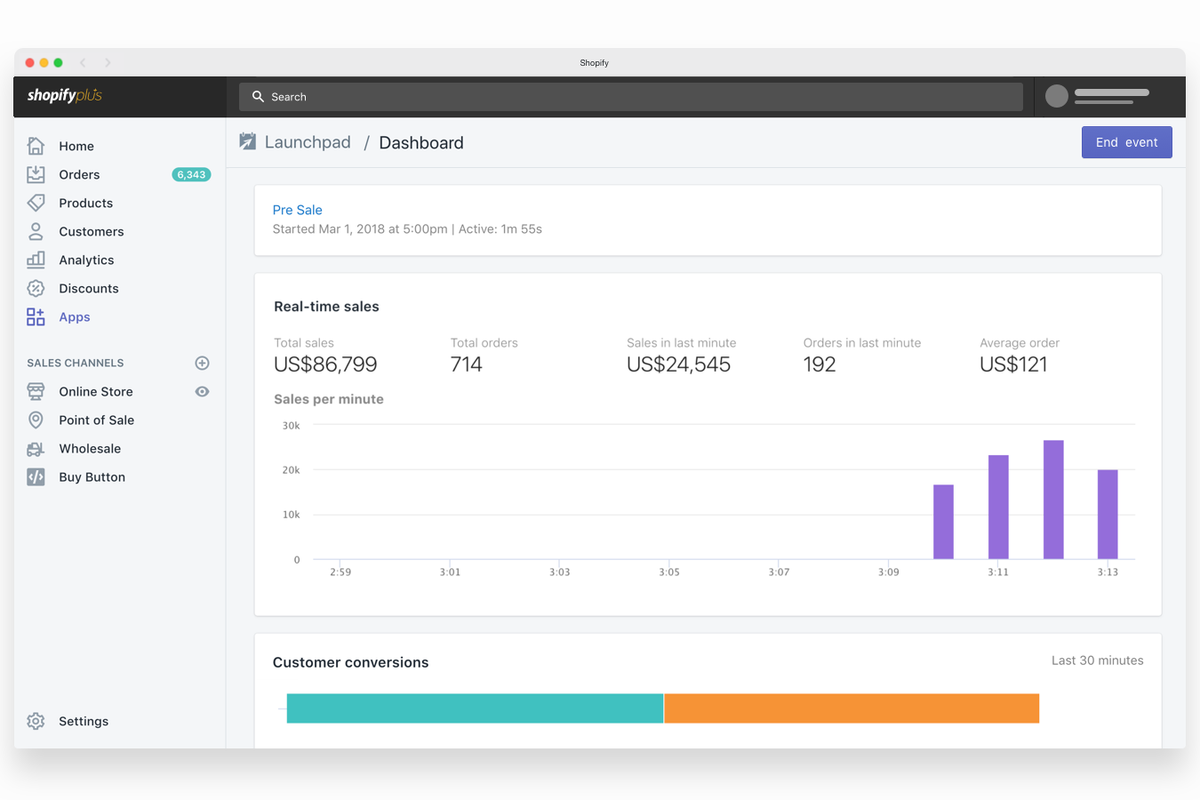
Monitor real-time performance for each campaign. Launchpad integrates with Shopify’s analytics tools to track revenue, conversion rates, and inventory during the event.
Use Case: Black Friday, Product Drops, and Seasonal Campaigns
Whether you're running a one-day flash sale, launching a new product line, or preparing for high-traffic days like Black Friday or Cyber Monday, Launchpad lets you pre-schedule every element of your campaign.
This not only reduces human error but also gives your team the freedom to focus on customer support, fulfillment, and post-sale engagement.
Who Should Use Shopify Launchpad?
Shopify Launchpad is exclusively available to Shopify Plus merchants. If you're running large-scale events or have complex product visibility and pricing needs, this tool can dramatically reduce operational headaches and boost campaign success.
Final Thoughts
In the fast-paced world of eCommerce, timing and automation can make or break your campaign. Shopify Launchpad empowers your team to plan ahead, automate intelligently, and deliver seamless customer experiences—without scrambling at the last minute.
If you're on Shopify Plus and not using Launchpad yet, now is the time to explore its potential.