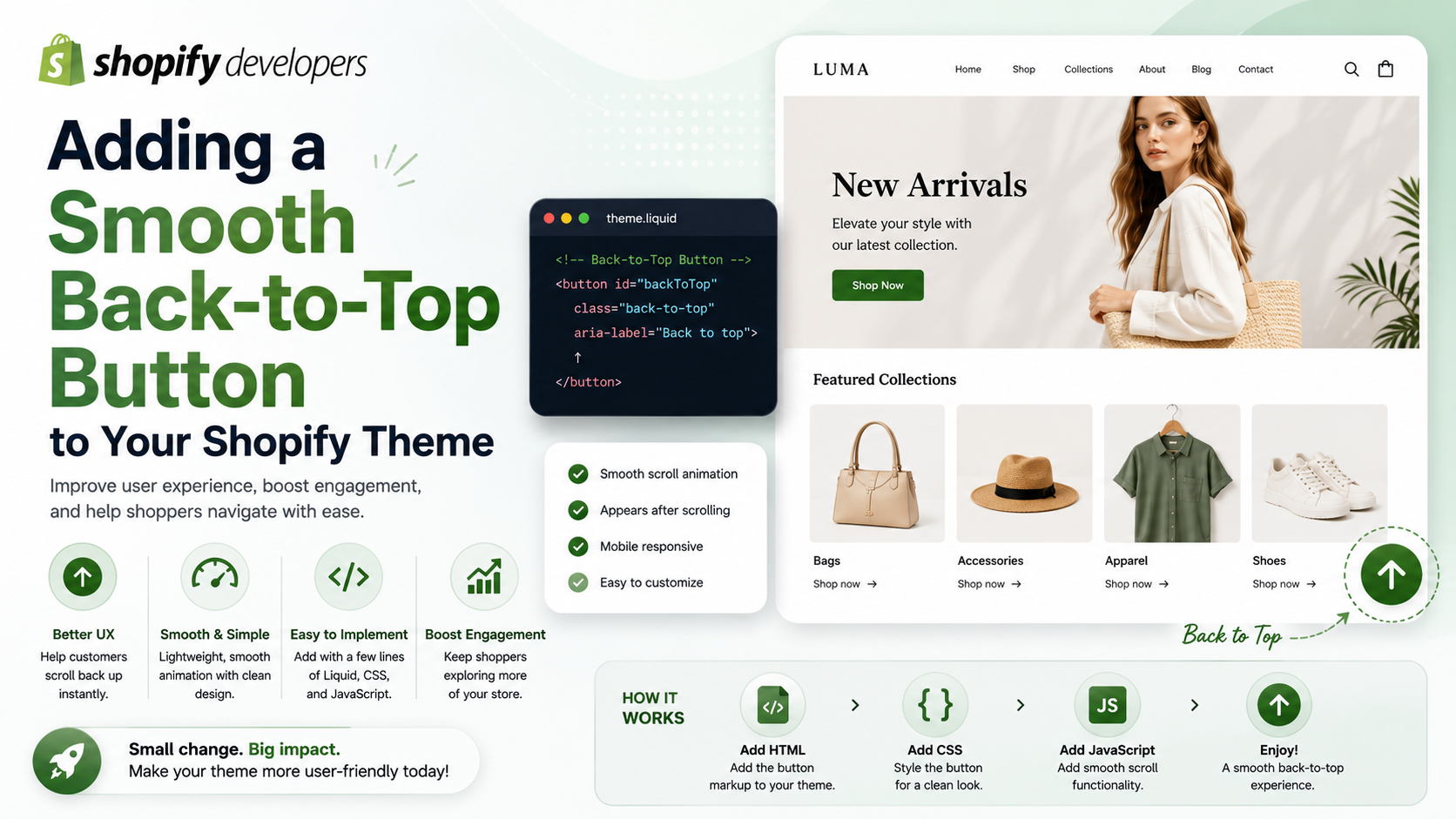
As a Shopify merchant or developer, you're constantly looking for ways to improve your store's user experience and increase conversions. One often overlooked feature that can make a significant difference is a back-to-top button. In this tutorial, we'll guide you through the process of adding a smooth back-to-top button to your Shopify theme using lightweight CSS and JS.
Why Add a Back-to-Top Button?
A back-to-top button provides an easy way for customers to navigate back to the top of a page, especially on longer pages or those with a lot of content. This can improve the overall user experience, reduce bounce rates, and increase conversions. Additionally, it's a feature that's often expected by users, so including it can enhance the professionalism of your store.
Step-by-Step Tutorial: Adding a Back-to-Top Button
To add a back-to-top button to your Shopify theme, follow these steps:
1. Go to your Shopify theme editor and navigate to the 'Layout' section. Click on 'Add a new snippet' and name it 'back-to-top'.
2. In the 'back-to-top' snippet, add the following HTML code:
<a href="#" class="back-to-top"><i class="fa fa-chevron-up"></i></a>3. Next, add the following CSS code to your theme's stylesheet to style the back-to-top button:
.back-to-top {
  position: fixed;
  bottom: 20px;
  right: 20px;
  background-color: #333;
  color: #fff; padding: 10px;
  border-radius: 50%;
  cursor: pointer;
}
4. Finally, add the following JavaScript code to your theme's JavaScript file to make the back-to-top button functional:
const backToTopButton = document.querySelector('.back-to-top');
window.addEventListener('scroll', () => {
    if (window.scrollY > 100) {
        backToTopButton.style.display = 'block';
    } else {
        backToTopButton.style.display = 'none';
    }
});
backToTopButton.addEventListener('click', () => {
    window.scrollTo({
        top: 0,
        behavior: 'smooth'
    });
});
Caveats and Alternatives
While adding a back-to-top button manually can be a great way to customize the feature to your needs, it may not be the best option for everyone. If you're not comfortable with coding or prefer a more straightforward solution, you can use a Shopify app like Scrolly or Back to Top - Scroll to top button for smooth store navigation. These apps provide an easy-to-use interface for customizing the back-to-top button and often come with additional features like infinite scrolling and smooth scrolling effects.
Testing and Optimization
After adding the back-to-top button to your Shopify theme, it's essential to test it thoroughly to ensure it's working as expected. Check the button's visibility, functionality, and smooth scrolling effect on different devices and browsers. You can also use tools like Google Analytics to track the button's usage and optimize its placement and design for better performance.
In conclusion, adding a back-to-top button to your Shopify theme can significantly enhance the user experience and increase conversions. By following the steps outlined in this tutorial or using a Shopify app, you can easily implement this feature and take your store to the next level. So why wait? Start improving your store's navigation today and watch your sales soar!
Ready to get started? Click here to learn more about Shopify apps and themes