Creating a welcome email for subscribers with a discount code is crucial for several reasons:
First Impression: The welcome email is often the first interaction subscribers have with your brand after signing up. It sets the tone for your relationship with them and can leave a lasting impression. Offering a discount code in the welcome email adds value right from the start, making subscribers feel appreciated and incentivizing them to make a purchase.
Encourages Action: Including a discount code encourages subscribers to take action by making a purchase. It creates a sense of urgency and excitement, motivating them to explore your products or services further and potentially make a purchase they might have been hesitant about otherwise.
Increases Conversion Rates: Offering a discount code in the welcome email can significantly increase conversion rates. It provides a tangible benefit for subscribing and can help turn a casual subscriber into a paying customer.
Builds Loyalty: By providing a discount code as a gesture of appreciation, you're fostering a sense of loyalty from the outset. Customers are more likely to feel positively towards your brand and return for future purchases if they feel valued and rewarded for their loyalty.
Data Collection: Including a discount code in the welcome email allows you to track the effectiveness of your email marketing efforts. You can monitor how many subscribers redeem the code, which products they purchase, and other valuable metrics that can inform your future marketing strategies.
Opportunity for Personalization: A welcome email with a discount code is an excellent opportunity to personalize the subscriber's experience. You can tailor the email content based on their interests or preferences, further enhancing their connection with your brand.
In summary, creating a welcome email for subscribers with a discount code is not only a courteous gesture but also a strategic move to increase engagement, conversion rates, and customer loyalty. It's an essential part of any email marketing strategy aimed at nurturing and growing your subscriber base.
Introduction to Klaviyo Shopify app
The Shopify Klaviyo app is a powerful email marketing tool designed to help online merchants create highly targeted, personalized emails and SMS messages for their customers. By integrating Klaviyo with Shopify, store owners can leverage customer profiles and order data to craft targeted messaging campaigns. The app also enables onsite tracking, sign-up forms, and data synchronization from Klaviyo to Shopify, ensuring a seamless connection with customers across all channels. With Klaviyo, businesses can grow faster and more efficiently, utilizing built-in AI tools, automation templates, and real-time analytics to drive sales and foster digital relationships.
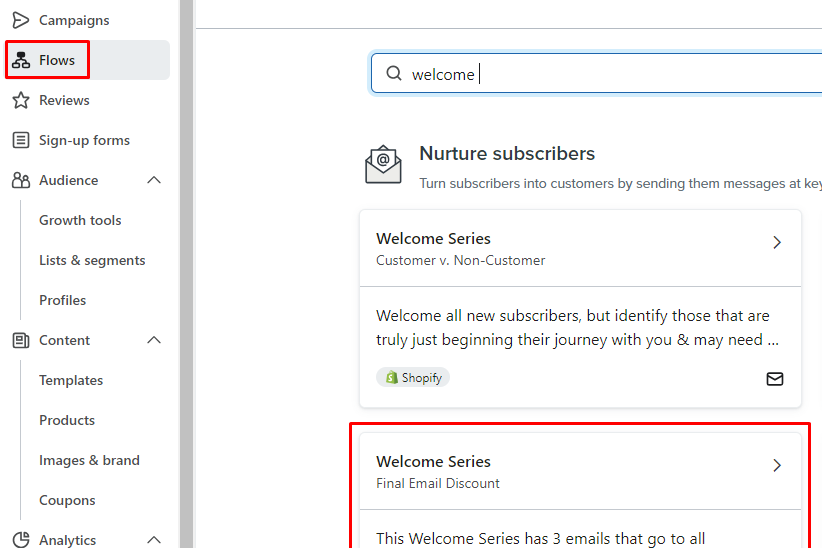
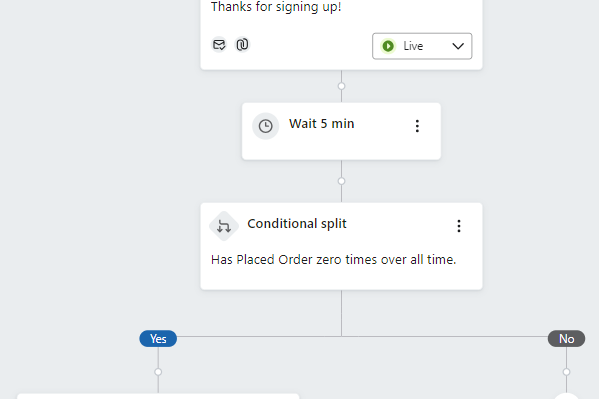
Choose "Welcome Series - Final Email Discount" as the flow type.
Setup the flow based on your idea
Step 4: Design your Welcome Email:
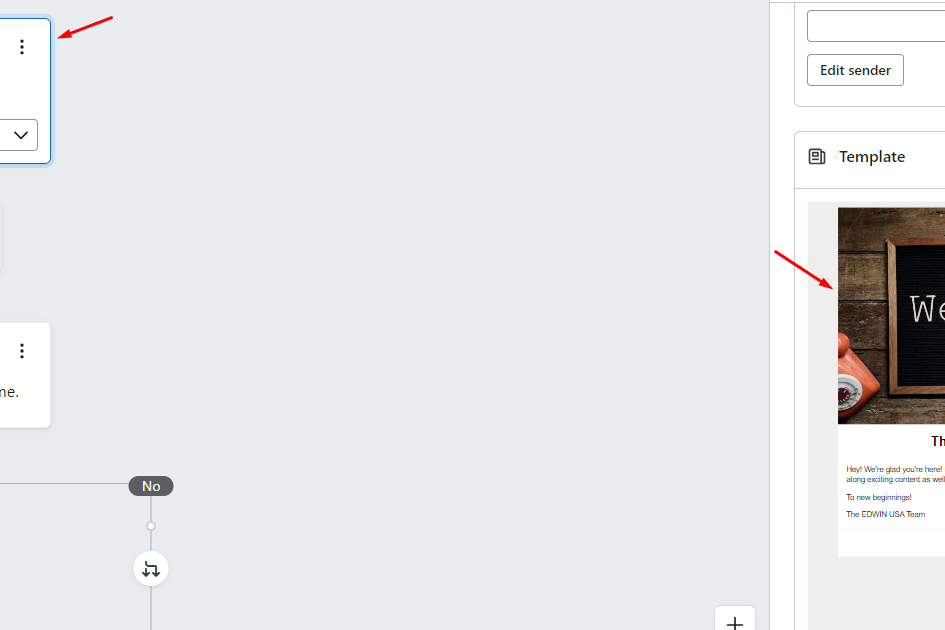
Click on the "Welcome Series, Email #1" box
Edit default Title text
Edit or select the Welcome Template
Step 5: Design your Discount Email:
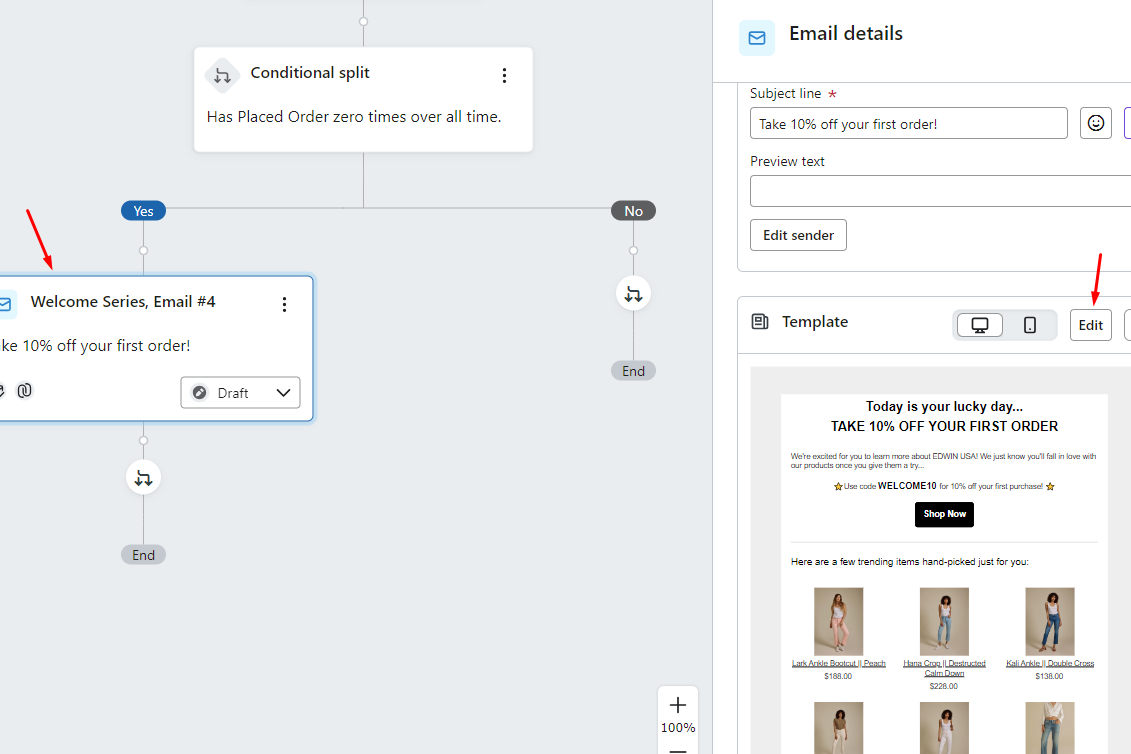
Click on the "Welcome Series, Email #4" box
Edit default Title text
Edit
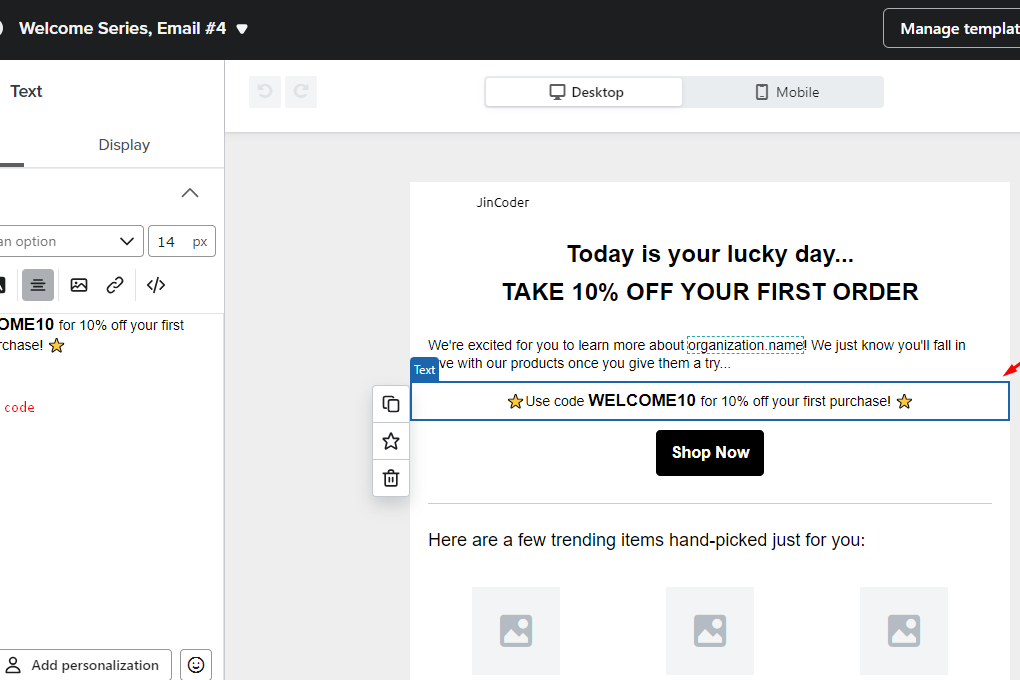
You will be directed to the Edit Template page
Click on the code in the preview area
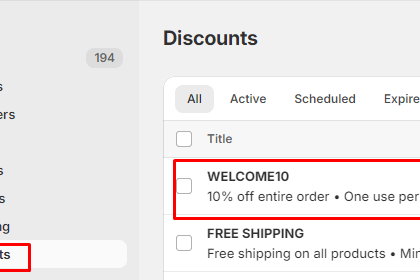
Replace the default discount code with your code
Step 6: Preview and Test:
Preview the email to ensure it looks good on both desktop and mobile devices.
Send a test email to yourself to check for any formatting or spelling errors.
Step 7: Activate the Flow:
Once you're satisfied with the email content and settings, activate the flow to start sending welcome emails to new subscribers.
Step 8: Monitor Performance:
Keep an eye on the performance of your welcome flow in Klaviyo's analytics dashboard.
Track metrics such as open rates, click-through rates, and conversion rates to evaluate the effectiveness of your welcome email campaign.
By following these steps, you can create a personalized and effective welcome email with a discount code for new subscribers using Shopify and Klaviyo.